
Managing multiple client projects becomes difficult when deadlines, commitments and essential information are scattered across different places.
A deadline sits in one calendar. A client request is buried in an email thread. A task lives in a notes app. A promise made during last week's meeting never reaches the project plan. Individually, these seem like small problems. Together, they make it harder to know what needs attention and when.
The solution isn't necessarily more tools or a complicated management system. It's one reliable workflow that makes active projects, responsibilities, upcoming deadlines and client expectations easy to see.
Disconnected tools make client work harder than it needs to be
Freelancers, consultants and small service businesses often build their working setup one problem at a time.
A calendar handles calls. A task list handles personal work. Email handles client requests. A document folder holds briefs and drafts. A notebook captures ideas. A separate finance tool deals with invoices. Each tool may do its job, but the overall picture becomes unclear.
The problem is not that any single tool is wrong. The problem is that no single place answers the questions that matter most:
Which client projects are active right now?
What has been promised to each client?
What is due this week and next week?
Which deliverables are waiting for client input?
Which tasks are owned by someone else?
Which projects are slipping before they become urgent?
Without that view, client project management becomes reactive. The day is shaped by the latest message, not by the most important commitment.
This is where deadlines get missed. Not because the work was impossible, but because the commitment was not visible at the right moment.
A better setup starts with a simple principle: every active project needs one clear home. That home does not have to contain every detail of the business, but it should point to the essential information quickly.
How to Manage Multiple Client Projects with a Central Overview
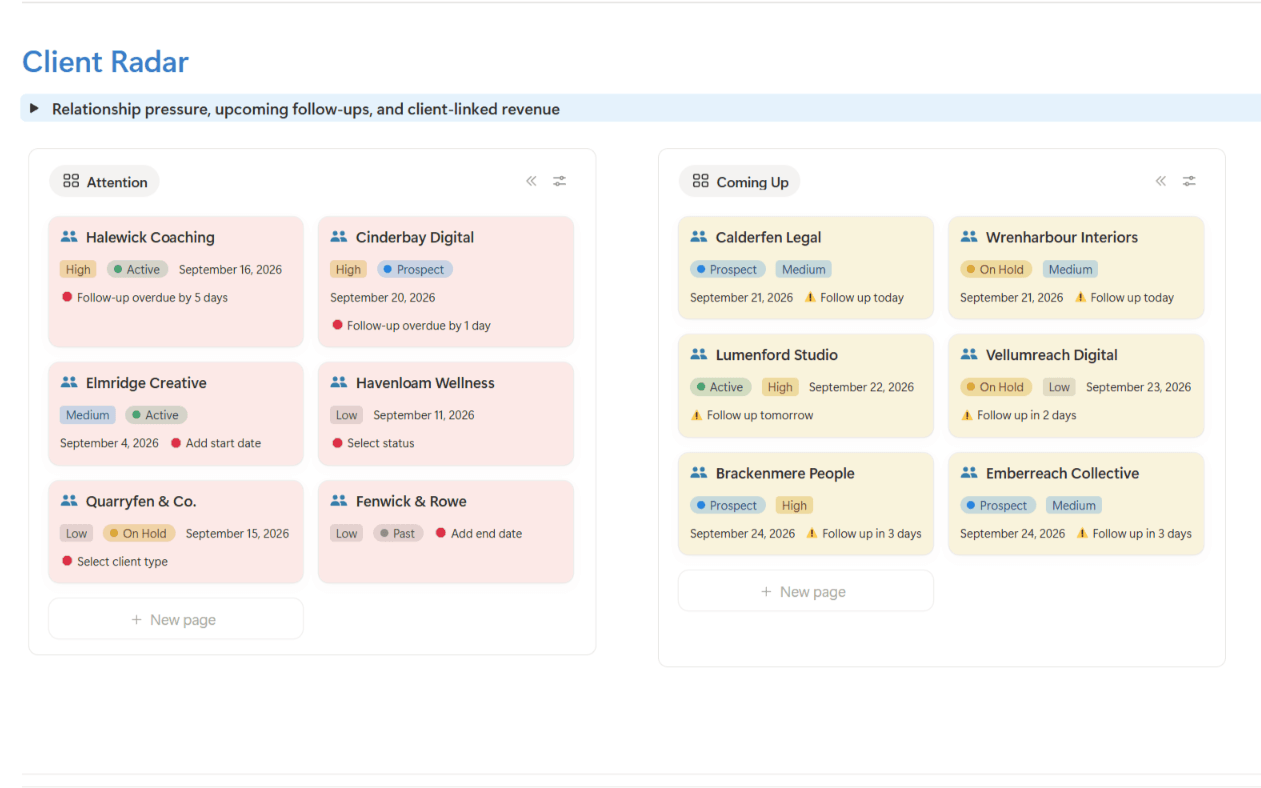
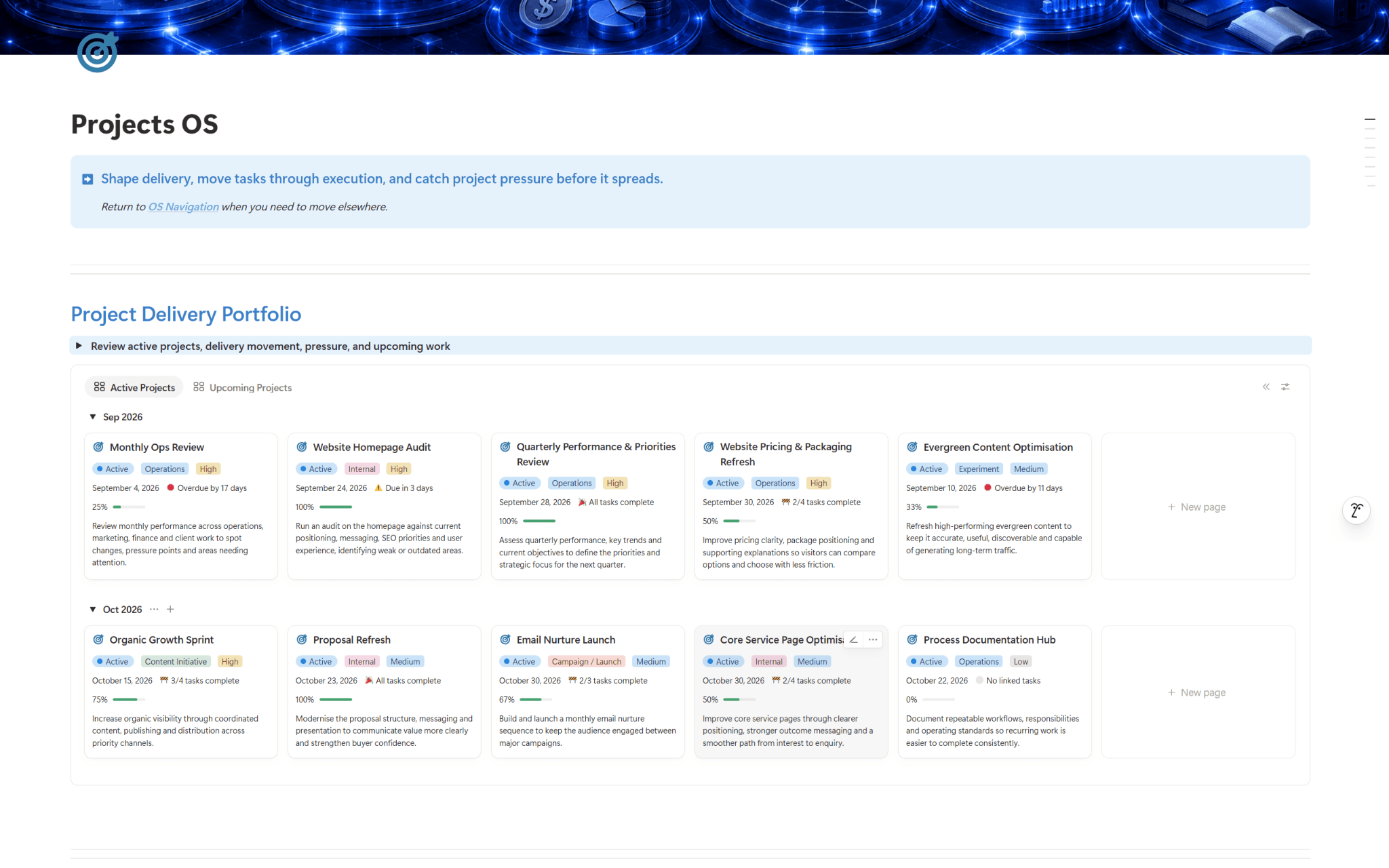
The central project overview is the control point for managing multiple projects. It should show the state of each client project at a glance, without forcing you to open ten separate files.
At minimum, your overview should include:
Client name
Project name
Project status
Key deliverables
Next deadline
Project owner
Current priority
Link to the project notes or workspace
Keep the statuses plain. Avoid clever labels that need explaining. For most service businesses, these are enough:
Status | Meaning |
Enquiry or proposal | Not confirmed yet |
Active | Work is underway |
Waiting on client | Progress depends on client input |
Internal review | Work needs checking before it goes out |
Delivered | Main work has been sent |
Complete | Final wrap-up is finished |
The value of this overview is speed. If a client asks for an update, you should be able to check the project state without searching through messages. If a new request arrives, you should be able to see whether it fits alongside current commitments.
A useful project overview also stops quiet projects from becoming invisible. Some missed deadlines happen because a project is noisy. Others happen because a project is silent for too long.
A central view helps you notice both.
Make task ownership clear enough to remove doubt
A project plan is weak if tasks exist without owners. This is true even for solo freelancers, because the owner is not always the person doing the work. Sometimes the owner is the person responsible for chasing an answer, reviewing a draft, approving a scope change, or sending the final file.
A good task should answer three questions:
What needs to happen?
Who is responsible for moving it forward?
When does it need to be done?
Poor task:
Finish website content.
Better task:
Draft homepage copy for Client A by 12 March, owned by Sam.
Even if Sam is the only person in the business, the second version is stronger. It names the output, the client, the deadline and the responsibility.
For client work, it also helps to separate internal tasks from client-dependent tasks. These two categories behave differently.
Internal tasks are within your control:
Draft strategy outline
Review discovery notes
Prepare workshop agenda
Send revised proposal
Client-dependent tasks rely on someone outside the business:
Client to send brand assets
Client to approve final copy
Client to confirm workshop attendees
Client to provide access details
This distinction matters because “waiting” is not the same as “done”. A project can look calm while the deadline is at risk because a client has not sent something essential.
For each client-dependent task, record the date requested and the date needed. That gives you a fair basis for follow-up and helps protect the project timeline.
For example:
Task | Owner | Needed by | Status |
Client to approve draft proposal | Client | 14 March | Waiting |
Prepare final workshop plan | You | 18 March | Not started |
Send onboarding document | You | 19 March | Ready |
This level of clarity reduces mental checking. You no longer need to remember whether something is late, blocked or complete. The system tells you.
Create deadline visibility across all active projects
Tracking client deadlines is not the same as adding dates to tasks. A date field is useful, but it is only part of the picture.
Deadline visibility means you can see your commitments in a time-based view and understand what they mean for capacity.
There are three deadline layers worth separating:
Project deadline
The overall completion date or major delivery date.
Milestone deadline
A meaningful stage in the project, such as first draft, client review, workshop, launch preparation or final delivery.
Task deadline
The specific piece of work needed to move the project forward.
If everything is treated as a task deadline, the important dates can get buried. If only the final deadline is recorded, the project can drift until the final week feels impossible.
A practical setup uses all three layers. For example, a consultant delivering a client strategy project might track:
Project deadline Final recommendation pack due 30 April
Milestone deadlines Research summary due 5 April Draft findings due 16 April Client review call on 22 April
Task deadlines Review interview notes by 1 April Prepare findings outline by 10 April Send pre-read document by 19 April
This gives enough detail without turning project planning into a second job.
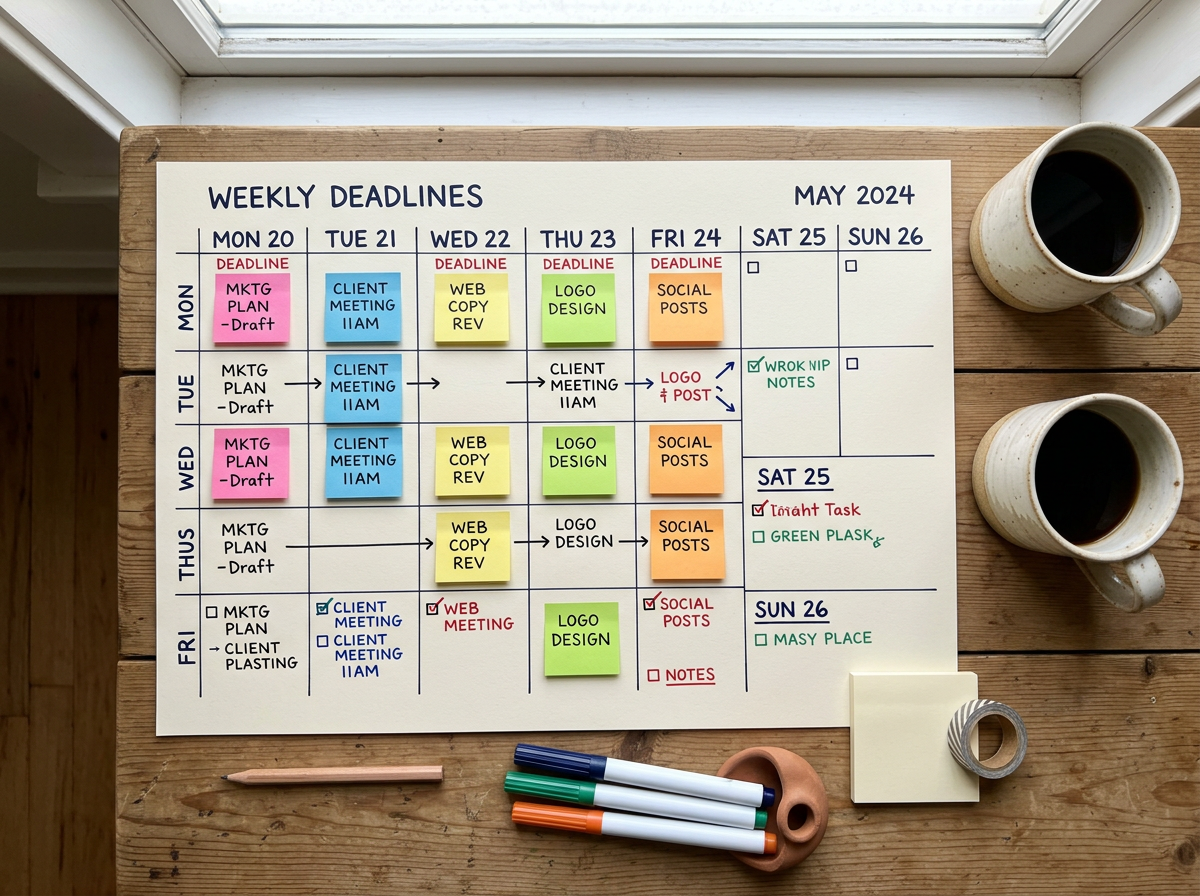
A weekly deadline view is especially useful. It should show what is due over the next five to ten working days, across all clients. This helps you spot crowded periods early.
Ask these questions during a weekly check:
Are too many deliverables due on the same day?
Is any client input needed before work can continue?
Are there deadlines with no clear next task?
Does any project need a revised timeline or expectation update?
Are there tasks that can be completed early to reduce pressure later?
Good freelance project management is rarely about doing more. It is usually about seeing the work early enough to make sensible decisions.
Check capacity before accepting a new deadline
Suppose a client asks to bring a Friday delivery forward to Wednesday. Before agreeing, check the remaining work, available hours and commitments to other clients.
If the earlier date creates a conflict, explain the options. You might adjust the scope, rearrange work or retain the original deadline.
Record the request separately from the agreed commitment until a change is confirmed. A client asking for Wednesday doesn't automatically make Wednesday the new deadline.
This distinction helps prevent an unexpected request from quietly becoming an unrealistic promise.
Keep client context close to the work
Many project issues are not caused by missing tasks. They are caused by missing context.
A client may have a preferred way of reviewing work. A stakeholder may only be available on certain days. A project may have a fixed external date that cannot move. A scope decision may have been agreed during a call. If these details live only in memory or old messages, they are easy to lose.
Each active project should have a short client context area. This does not need to be a long dossier. It should capture the information that affects delivery.
Useful fields include:
Project goal
Agreed deliverables
Key contacts
Important dates
Client preferences
Scope notes
Decisions made
Open questions
Links to key documents
The “decisions made” section is particularly valuable. It prevents old questions from being reopened and keeps project history clear.
For example:
6 March Client confirmed that the first phase will cover the landing page and email sequence only. Sales page copy is out of scope for this phase.
A short note like this can save time later, especially when projects overlap and details start to blur.
The same applies to commitments. If you say, “I’ll send that by Friday,” record it immediately. A commitment is a deadline, even if it never appeared in the original plan.
This habit protects both service quality and commercial boundaries. It helps you honour promises, and it gives you a clear record when new requests affect the timeline.
Use regular progress reviews to keep the system alive
A project-management workflow only works if it gets reviewed. Otherwise, it becomes another place where old information gathers dust.
The review rhythm should be light enough to sustain, but firm enough to catch problems early.
For most independent professionals and small service businesses, three review levels work well.
Daily check
Spend a few minutes identifying:
What is due today
What is due tomorrow
Which client tasks are waiting for input
Which one or two items need focused work
This is not a full planning session. It is a quick check to avoid surprises.
Weekly project review
Review all active projects. Update statuses, check deadlines and confirm next actions.
This is where you decide whether timelines are still realistic. If a client has delayed feedback, record it and adjust the plan where needed. If several deadlines are clustered together, decide what can move, delegate, or be prepared earlier.
Monthly workload review
Look at the bigger picture. Which types of projects are repeatedly causing pressure? Which clients need clearer boundaries? Which phases of work need better templates, checklists or handover notes?
This is where the system improves over time.
A review rhythm turns your project workspace from a static tracker into a working management tool. It becomes the place where decisions are made, not just where tasks are stored.
Use Notion as a structured project workspace, not a magic fix
A structured Notion workspace can support this kind of workflow well because it can hold project records, task lists, deadline views and client notes in one connected place.
That does not mean Notion automatically manages projects. It also does not replace every specialist tool in a business. You may still need separate tools for accounting, contracts, file storage, scheduling or industry-specific work.
The strength of Notion project management is that it can give you a central operating space for the information that tends to get scattered:
A project database for active and completed work
A task database linked to clients and projects
Views for upcoming deadlines
Pages for project notes and decisions
Filters for work by status, owner or priority
The structure matters more than the software. A messy workspace in any tool will still create confusion. A clear workspace helps because it reflects how the work actually moves.
BrainyShack’s Project Management System is relevant here for people who want a ready-made structure rather than building from a blank page. It is designed to support organised project handling, clearer visibility and more consistent tracking inside Notion.
For those who manage a broader mix of client work, operations and business activity, our Project Command Stack may be a better fit. It suits the need for a more connected command centre around projects and related work, without suggesting that one workspace should replace every specialist application.
If it is not obvious which system suits the way you work, use the BrainyShack System Finder to compare the options and choose the most appropriate starting point.
A reliable workflow is built from clear decisions
The best project-management setup is not the most detailed one. It is the one that helps you make better decisions before deadlines become urgent.
Start with a central overview. Give every task an owner. Separate internal work from client-dependent work. Track project deadlines, milestone dates and task dates. Keep client context close to the work. Review progress regularly.
Start with a central project overview, clear task ownership and visible deadlines. Keep client decisions and commitments close to the work, and review progress often enough to catch problems early.
Whether you build your own workflow or use a ready-made BrainyShack system, the objective is straightforward: know what's happening across your client projects, what needs attention next and what you've committed to deliver.